Keybinding
Keybinding translates your keyboard and mouse inputs into controller outputs. Each mapping tells S2: “when this key is pressed, send that controller button to the console.”
Config Structure
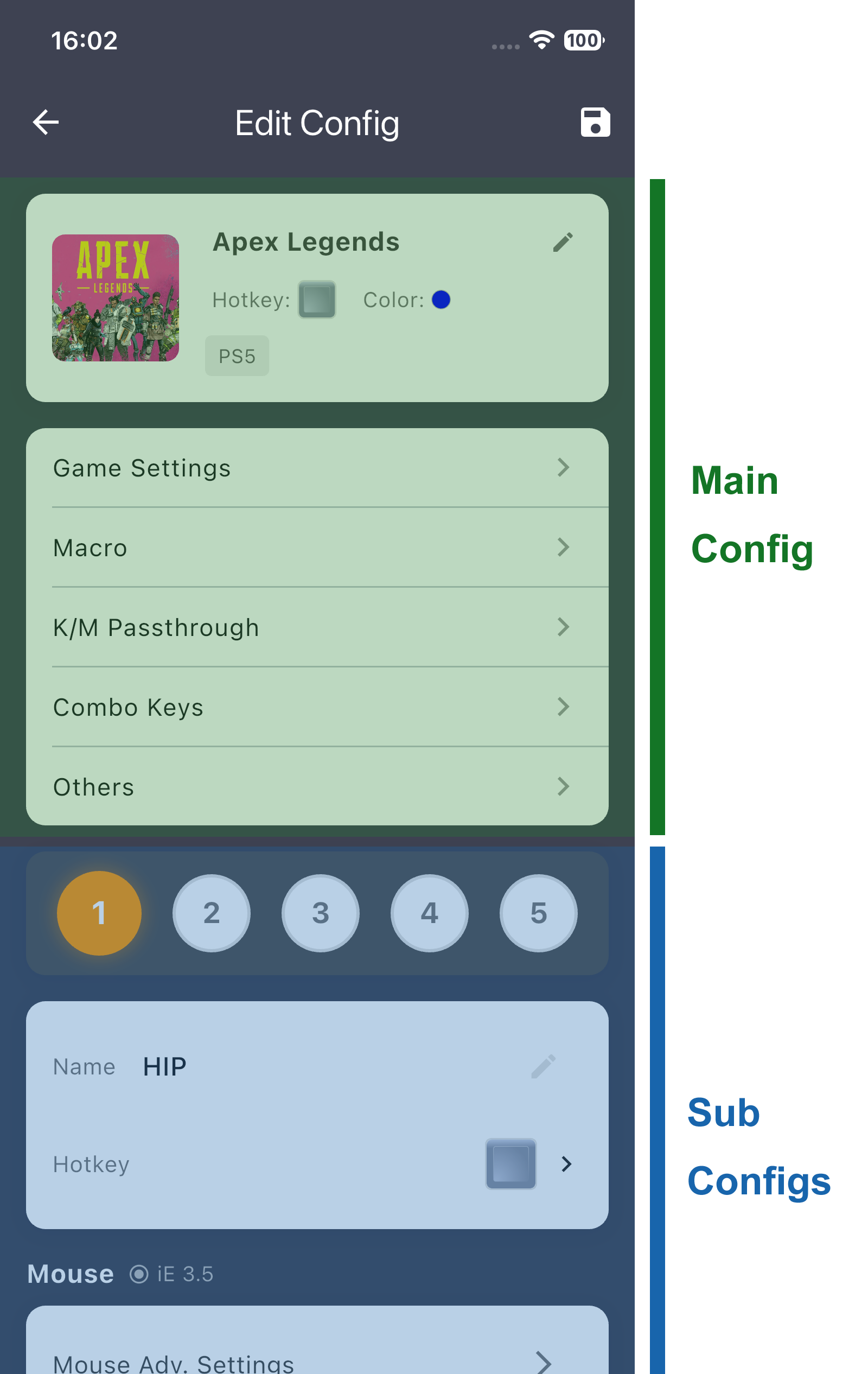
| Element | Capacity | Description |
|---|---|---|
| Main Config | 1 | The primary configuration — game name, platform, activation hotkey, etc |
| Sub Configs | 5 (HIP / ADS / TBD1 / TBD2 / TBD3) | Context-specific overrides — e.g., different mappings for hip-fire vs. ADS |
Sub configs let you switch mapping layouts by context. For example, a sniper button that changes scope while ADS uses one mapping in the HIP config and a different one in the ADS config.
Sub Config Inheritance
Sub configs 2–5 can inherit mappings from the HIP config:
- ADS inherits from HIP
- TBD1 inherits from HIP
- TBD2 inherits from HIP
- TBD3 inherits from HIP
Inheritance means you use the same mappings.
| Mode | Behavior |
|---|---|
| Disabled | This sub config has its own independent mappings |
| Enabled | This sub config use the same mappings just as the HIP config |
Keybinding List
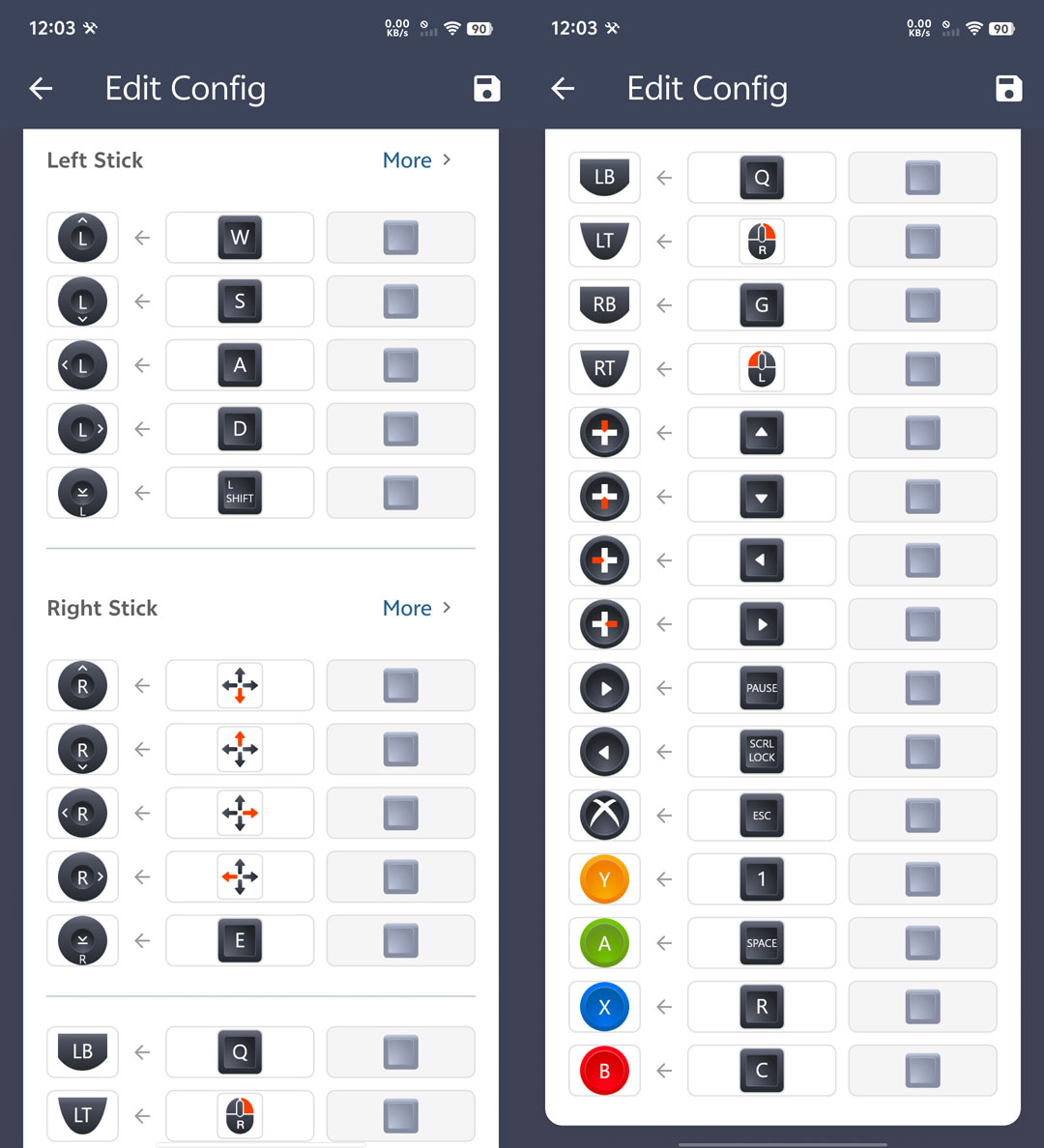
The mapping list shows all slots with their default keys and target outputs:
Mapping Methods
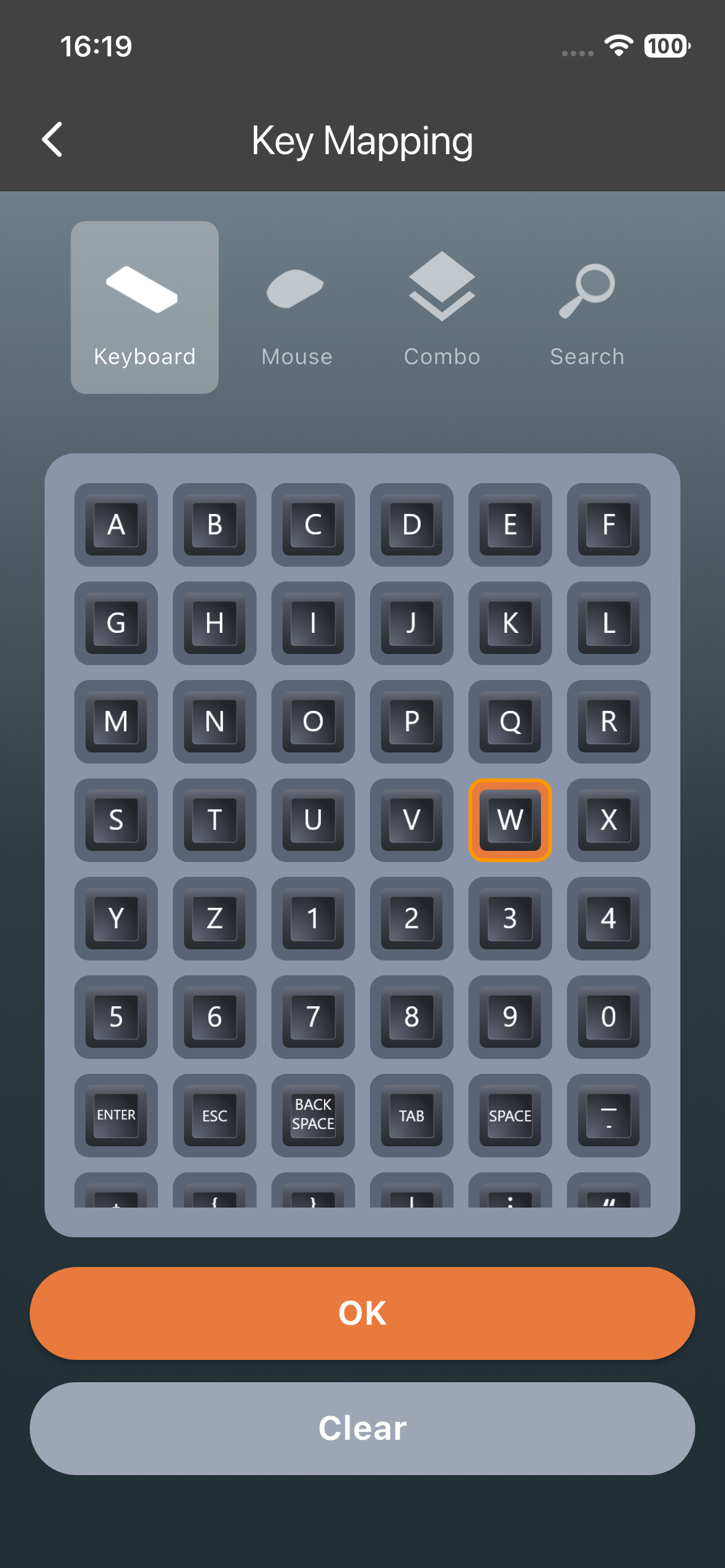
| Input Method | Description |
|---|---|
| Keyboard | Browse a visual grid of all keyboard keys with icons |
| Mouse | Left/Right/Middle/Side/Scroll Wheel/Mouse movements |
| Combo Keys | pre-defined combination keys |
| Search | Press the physical buttons on devices plugged into S2 — APP captures the key code in real time |
⚙️ Advanced — Search: Instead of picking from a grid, you press the actual key you want to use, and S2 learns it instantly. This is the fastest way to set a hotkey, especially for unusual keyboards.
Combo Keys
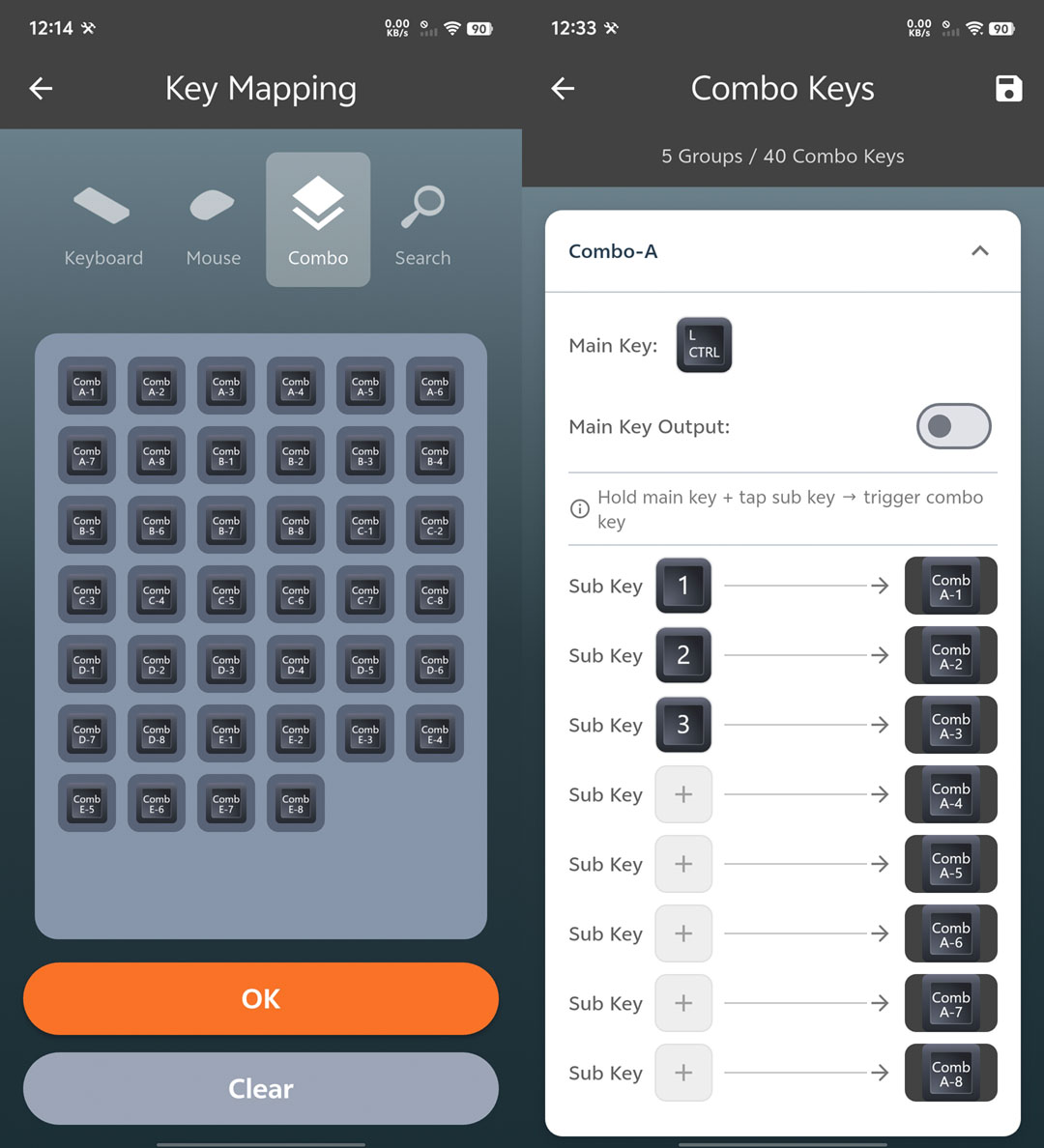
A combo combines two input keys (from keyboard, mouse, controller, or any compatible device) into a single virtual key, which is then mapped to a controller button output or used to activate a feature.
| Parameter | Value |
|---|---|
| Combo Groups | 5 |
| Slots per Group | 8 |
| Max Combos | 40 |
Each combo group holds 8 combo entries. Press the two assigned input keys simultaneously to trigger the virtual key, useful for actions that benefit from two-handed input or to create unique shortcuts that avoid normal-key conflicts.
💡 Tip: Combo Keys should be set properly in the “Combo Keys” page before its usage
Analog Behavior
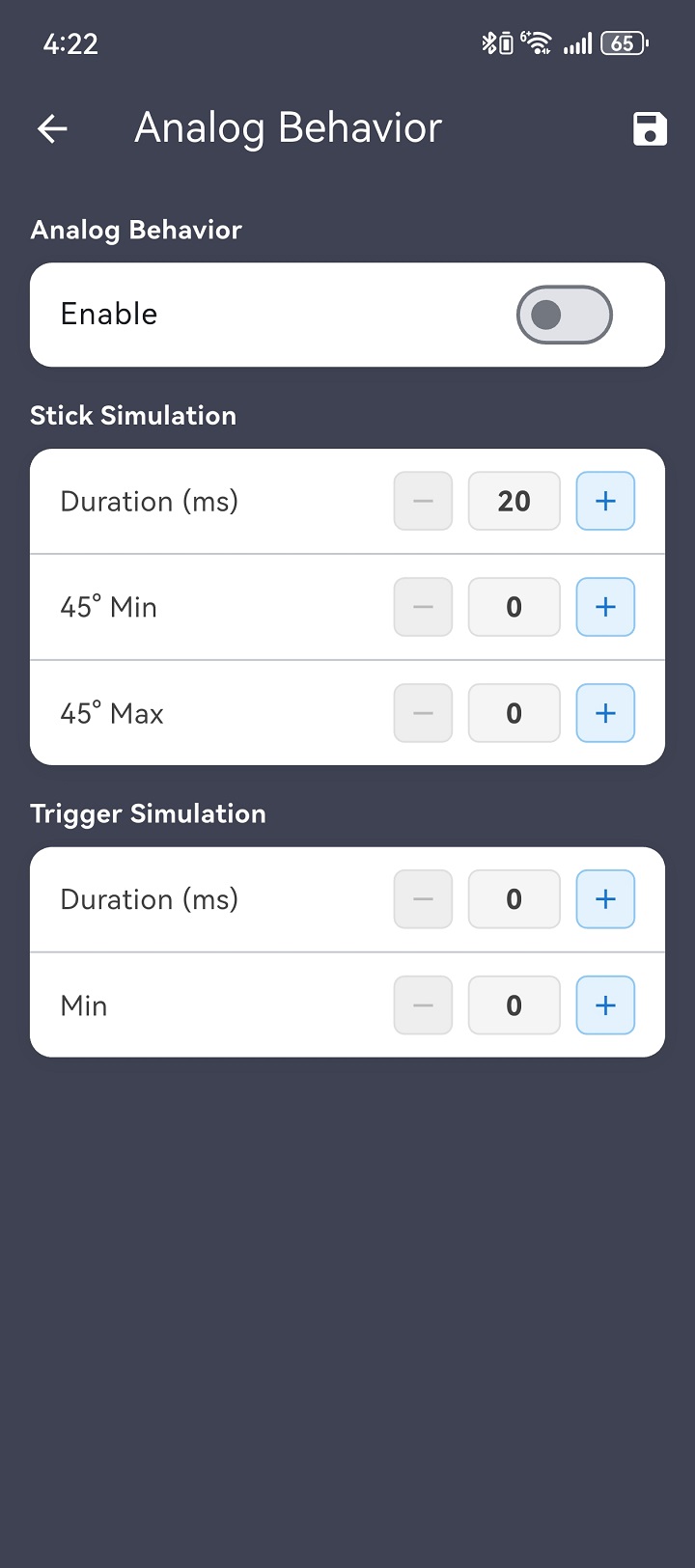
AB converts a digital key press into a timed analog stick/trigger movement - the controller sees the stick/trigger move, not a button press.
| Parameter | Range | Description |
|---|---|---|
| Enable | ON / OFF | Toggle AB for this sub config |
| Duration | 20–5000 ms | How long the analog stick moves |
| 45° Min/Max | 45°-89° | Defines the angular output range when W+A or W+D is pressed together. Min sets the lower-angle bound, Max sets the upper-angle bound, controlling how sharp or wide the diagonal feels. |
💡 Tip: A game requires analog-style input for certain actions — AB converts a key press into that analog signal.
Vibration
Route vibration feedback to a connected controller:
| Parameter | Options | Description |
|---|---|---|
| Device | None / USB1 / USB2–4 | Which physical controller receives vibration |
| Intensity | 0–100 | Vibration strength |
Saving Keybindings
Keybindings auto-sync to S2’s RAM as you edit. Changes are temporary until you tap Save to Flash — do this before powering off, or your mapping setup will revert.